How To Make The Internet Safer For Kids: A Complete Guide To Android's Safety And Parental Features
Google and YouTube offer four simple tools that help parents set screen time, block apps, track location, and filter harmful content for children and teenagers.


Published : November 5, 2026 at 5:12 PM IST
|Updated : November 5, 2026 at 5:17 PM IST
Parents can now keep children and teenagers safe online with four simple tools from Google and YouTube. Family Link, the YouTube Shorts feed limit, Android Parental Controls and SafeSearch help parents manage screen time, apps, location and malicious content. Parents can set up all four on their own phones.
Children and teenagers spend a lot of time on phones, YouTube and the internet. Many parents worry about what their child is watching and for how long. These tools aim to ease that worry by keeping children away from the harmful side of the internet. Here is a look at each one.
How does Family Link control time and location?
Family Link helps parents create a safe online space for their children. It shows how a child spends time on their device. Follow these steps to set it up:
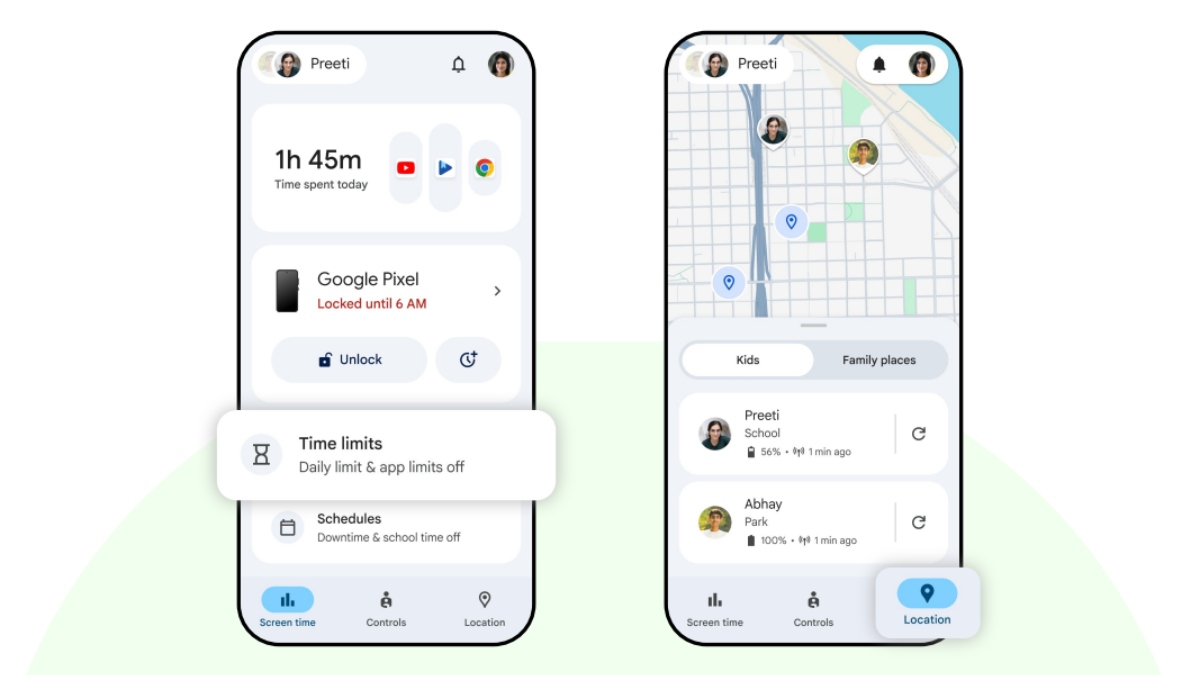
Step 1: Download the Family Link app on your Android phone.
Step 2: Link your parent account to your child's account.
Step 3: Choose your child's account at the top left of the app and tap Time Limits.
Step 4: Turn on Daily limit or Block apps.
Step 5: For location, tap Location, choose Set up location, press Next, and tap Turn on.
The child's device will then show on a map. If a child is below the age of consent, a parent must manage their Google account.
How do you set a Shorts Feed Limit on YouTube?
YouTube already has a Shorts feed limit. It lets parents decide how long a child can scroll Shorts each day. YouTube is also the first app to let parents set this limit all the way down to zero. No other app has offered this for children so far. You can change the setting in the YouTube app:
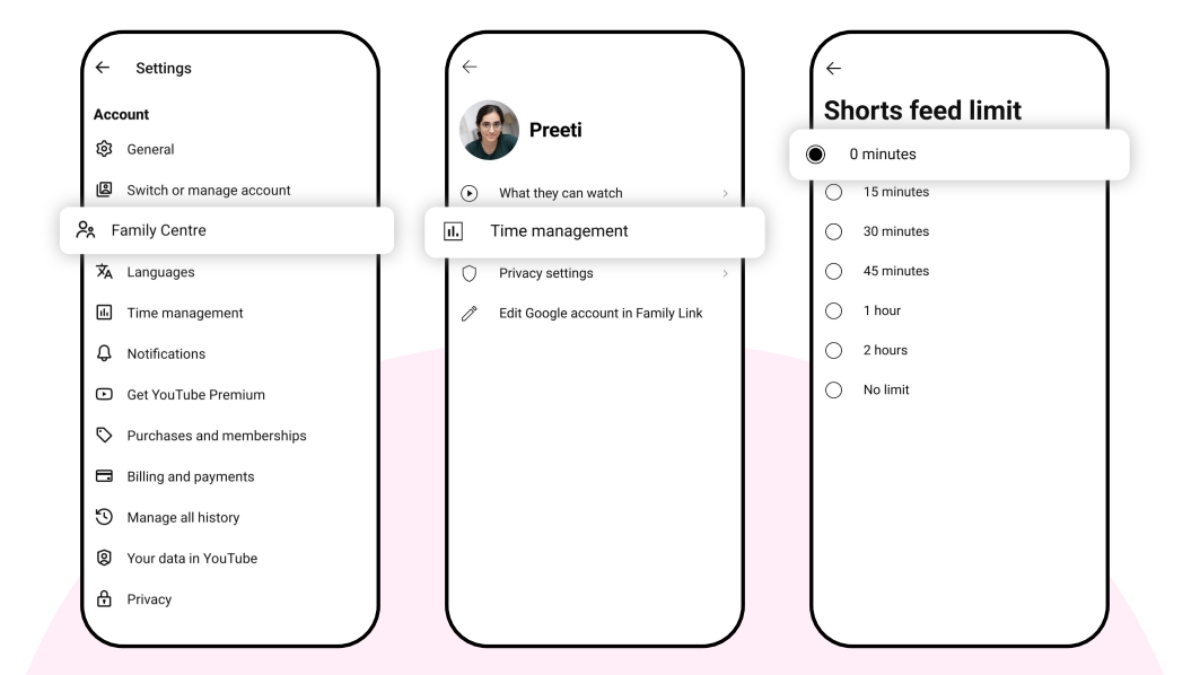
Step 1: Open Settings and choose Family Centre.
Step 2: Select your child's account and tap Time management.
Step 3: Set a daily Shorts feed limit.
The options are 0, 15, 30 or 45 minutes, one hour, two hours or no limit. Choosing 0 minutes switches the Shorts feed off completely.
How can Android Parental Controls Restrict a Phone?
Open Parental Controls in your Android settings and create a four-digit PIN. This turns on device supervision. The PIN protects every setting, so the user's child cannot change them. They can then set the following:
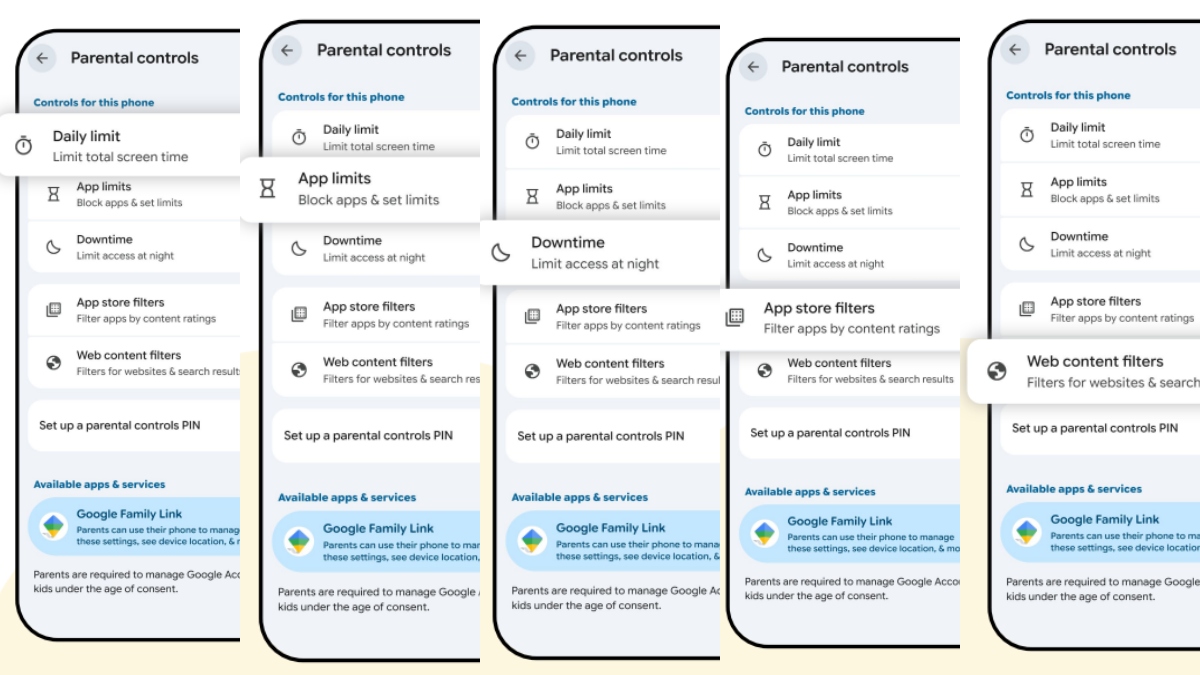
- Daily limit: How long the phone can be used each day.
- App limits: A daily time limit for a chosen app.
- Downtime: The phone locks at bedtime or school time.
- App store filters: Blocks apps by content rating.
- Web content filters: Removes explicit content in Chrome and Search, and blocks chosen websites.
How does SafeSearch make search results safer?
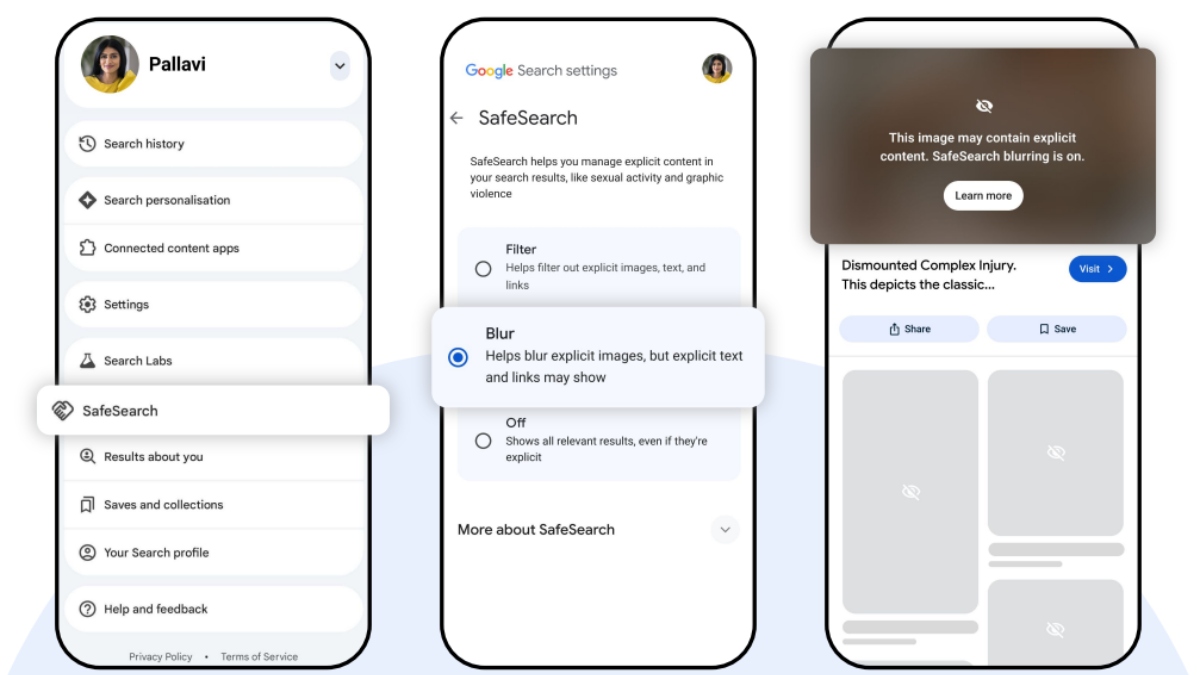
SafeSearch automatically filters explicit content in Google Search. To do this, open the Google app, tap your profile photo and choose SafeSearch. The Blur option hides explicit text, and links will remain visible. For more control, turn on the filter. Users can turn it off to view all results.
| Tool | What does it do? | Where to set it up? |
|---|---|---|
| Family Link | Time Limit, App Block, Location | Family Link app |
| Shorts feed limit | Shorts scrolling time | YouTube, Family Centre |
| Android Parental Controls | Screen time, app and web filters | Android Settings |
| SafeSearch | Ban on explicit content | Google App |